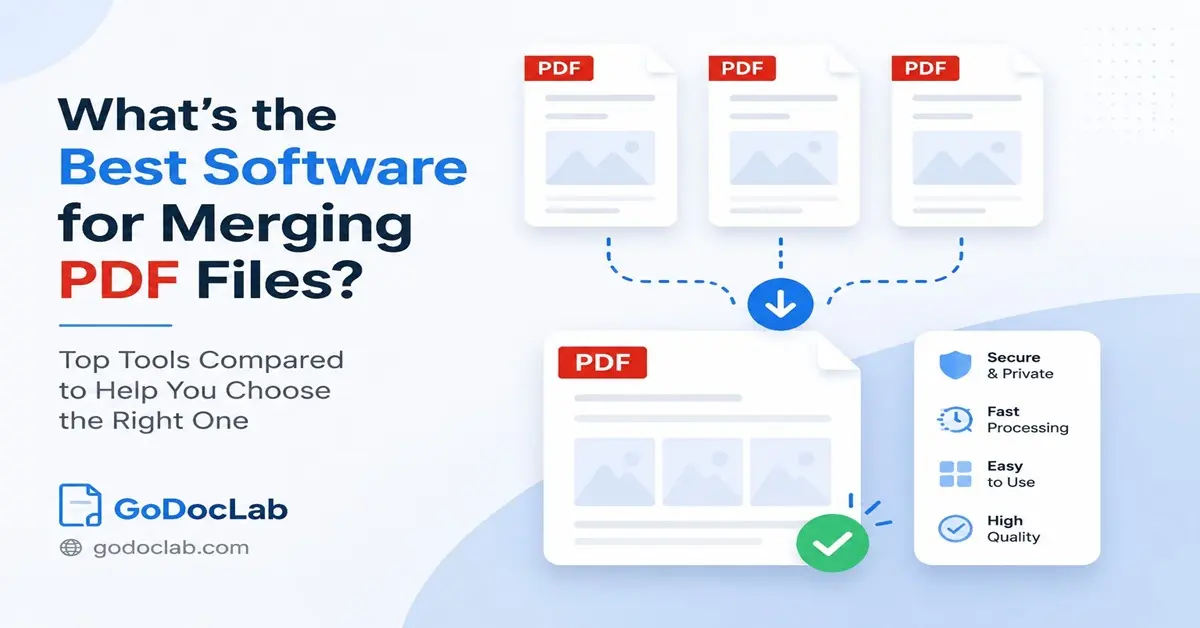
What's the Best Software for Merging PDF Files? A Complete Guide to Choosing the Right PDF Merger
Working with many PDF files can become confusing. You may have reports, invoices, images, forms, or study notes saved as separate files, and putting them together one by one can waste time. The right software can help you combine these documents into one clean file in just a few clicks.
If you are searching for what's the best software for merging pdf files, the answer depends on what you need. Some people want a quick free tool, while others need advanced features for office work, business documents, or large projects.
A good PDF merging tool should make the process simple. It should let you arrange pages, protect your files, and create a final document without making the task feel complicated.
For users who want a simple online solution, GoDocLab offers easy document tools that help people manage PDF tasks without unnecessary steps. The goal is simple: help users finish their work faster with tools that are easy to use.
Why Do People Need a PDF Merger?
PDF files are popular because they keep the same format across devices. A document created on one computer usually looks the same when opened somewhere else. This makes PDFs useful for businesses, schools, legal documents, and personal files.
The problem starts when information gets divided into many files.
For example, a student may have several research papers saved separately. A company worker may have multiple reports that need to become one presentation file. A person preparing tax documents may need to combine receipts and forms.
A reliable free pdf merger can solve these problems quickly.
Instead of opening different files and copying information manually, users can combine documents into one organized PDF. This saves time and keeps important information together.
What Features Should the Best PDF Merging Software Have?
Choosing a PDF tool is easier when you know which features matter. A good PDF merger should offer more than a simple upload button.
Here are the main features to check:
- · Easy file uploading
- · Page arrangement options
- · Support for multiple PDF files
- · Safe file handling
- · Fast processing speed
- · Simple download options
- · Support for different document types
A quality pdf merger free option can work well for basic needs. However, people who handle professional documents may need extra features such as editing, signing, or file protection.
The best choice depends on your daily work. A person merging two school files does not need the same tool as a company handling hundreds of documents.
Online PDF Merger vs Desktop Software
Many users ask whether they should use online tools or install software. Both options have benefits.
Online tools are useful because they work from a browser. You do not need to install anything. This makes them helpful for people who use different computers or need a quick solution.
A merge pdf online tool can help users combine files from almost anywhere with an internet connection.
Desktop software gives users more control. It can handle larger files and may offer extra features. Professionals who work with PDFs every day often prefer installed programs.
Here is a simple comparison:
The right option depends on your work style and document needs.
Adobe Acrobat and PDF Merging
Adobe Acrobat is one of the most recognized PDF programs. Many professionals use it because it provides many PDF-related features in one place.
Users looking for adobe acrobat merge pdf features can combine multiple files, organize pages, and save the final document. Adobe explains that Acrobat allows users to add files, rearrange pages, remove pages, and create a single PDF document.
The process is simple:
- 1. Open Adobe Acrobat.
- 2. Select the combine files option.
- 3. Add your PDF documents.
- 4. Arrange the pages.
- 5. Create the final PDF.
People who search for adobe merge pdf documents often want a trusted option for office and business use.
Adobe also supports different file types, allowing users to combine PDFs with other documents before creating one final PDF.
The main downside is cost. Advanced Adobe features usually require a paid plan. For users who only merge files occasionally, a free tool may be a better fit.
Free PDF Tools for Everyday Users
Not everyone needs expensive software. Many people only want to combine documents once in a while.
A free pdf merger free option can help students, freelancers, and casual users complete simple tasks without paying.
Free tools usually allow users to:
- · Upload multiple PDF files
- · Change file order
- · Combine pages
- · Download the final document
A free pdf merge tool can be enough for small projects, such as combining class notes, travel documents, or personal records.
However, users should always check privacy settings before uploading important files online. Avoid uploading sensitive documents unless you trust the service.
How Can I Merge PDF Files Easily?
Many people search how can i merge pdf because they want a quick answer. The process is usually similar across most tools.
Follow these steps:
- 1. Select your PDF files.
- 2. Upload them to the merging tool.
- 3. Arrange the files in the correct order.
- 4. Click the merge button.
- 5. Save the final PDF.
Some tools also allow users to combine images with documents. For example, someone can merge images into pdf when creating a portfolio, report, or photo collection.
A simple tool removes the stress from document management. Instead of spending time searching through folders, users can create one organized file.
GoDocLab: A Simple Option for PDF Tasks
Many users prefer tools that keep things simple. They do not want confusing menus or unnecessary features. They want a clear process that helps them finish their work.
GoDocLab focuses on making document tasks easier for everyday users. The platform helps people handle PDF needs without requiring advanced technical skills.
For someone searching for a practical merge pdf files free online solution, a simple online tool can save time.
The best PDF software is not always the one with the longest feature list. The technology that makes it easier and faster for people to finish their tasks is sometimes the best option.
Comparing Popular PDF Merge Options
Different tools serve different users. Here is a basic comparison:
Adobe Acrobat PDF Merger
Adobe Acrobat is suitable for professionals who need more than merging. It provides tools for editing, signing, and organizing PDFs.
People searching for adobe acrobat pdf merger features usually need a complete PDF solution.
iLovePDF
iLovePDF is a popular online option for simple PDF tasks. It allows users to combine PDF files, arrange pages, and complete basic document actions.
Many users search i love pdf merge because they want a fast browser-based solution.
Free Online Tools
Free browser tools work well for simple needs. They are useful for users who do not merge files often.
A pdf merger online free tool can help complete basic tasks without installing software.
What Makes a PDF Merger Safe?
File safety matters because PDFs often contain private information.
Before choosing a tool, check:
- · Does the service explain how it handles uploaded files?
- · Does it remove files after processing?
- · Does it protect user information?
- · Does it require unnecessary personal details?
A good PDF tool should respect user privacy and make file handling clear.
Security becomes even more important for business documents, contracts, financial files, and personal records.
Merging Images and PDFs Together
PDF tools are not limited to PDF files only. Many users need to combine pictures with documents.
For example:
- · A designer may create a portfolio.
- · A teacher may create a worksheet.
- · A business owner may prepare a product catalog.
A tool that can merge images to pdf makes these tasks easier.
Users may also search for merge images into pdf when they need to turn several pictures into one professional document.
Conclusion
The best PDF merging software depends on your needs. Adobe Acrobat works well for professionals who need advanced PDF features. Free online tools work well for users who want quick and simple results.
Before choosing a tool, think about file size, privacy, features, and how often you merge documents.
For everyday PDF tasks, a simple and easy platform like GoDocLab can help users complete their work without extra complications.
A good PDF merger should save time, keep documents organized, and make your digital work easier.