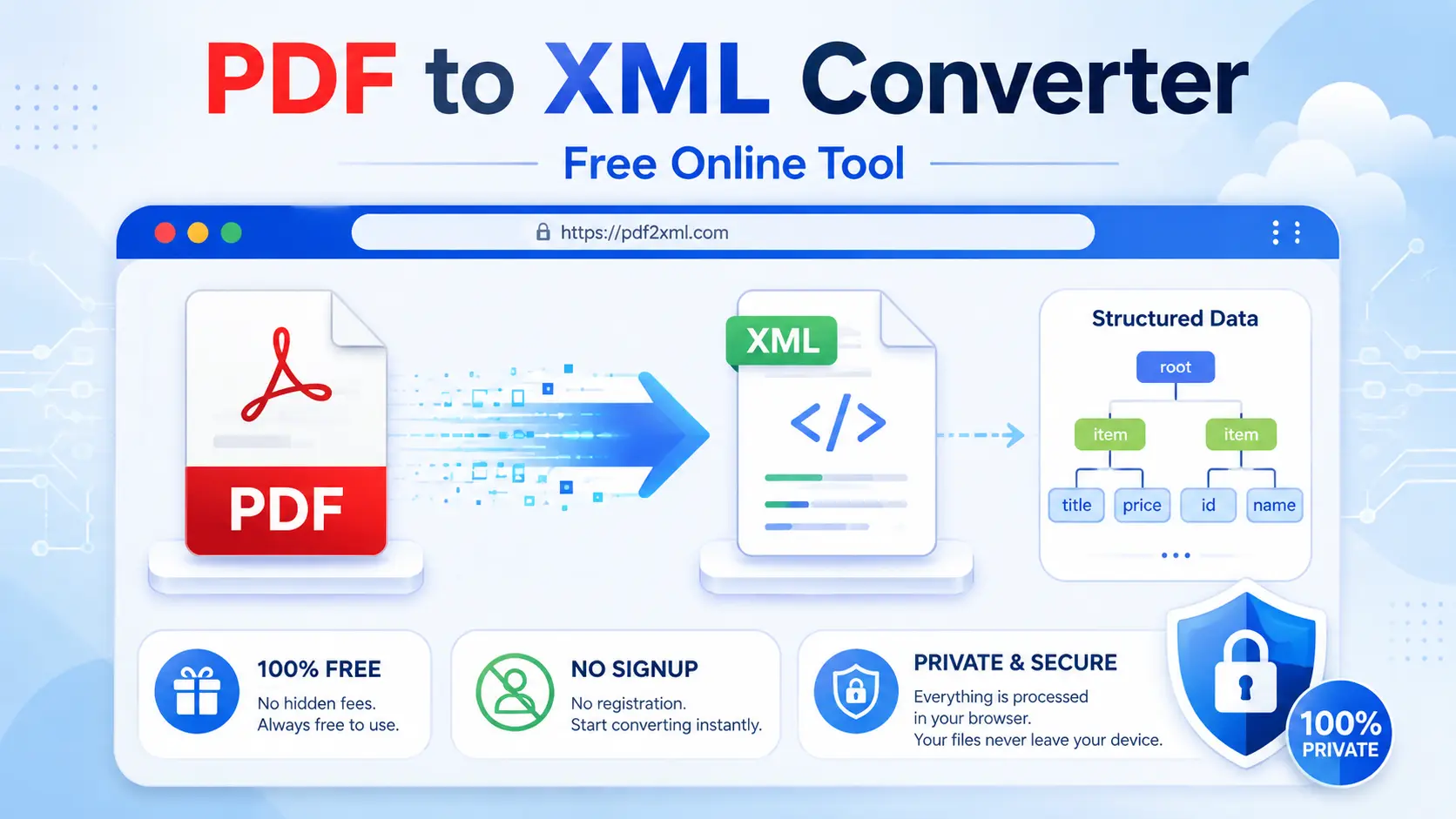
PDF to XML Converter: Convert PDF Files into Structured XML Data
PDF files make documents easy to share and view, but they are not always the easiest format for systems to process. If you need to extract information from a PDF and use that information in another application, database, workflow, or structured-data process, XML can be a much more useful format.
A PDF to XML Converter helps bridge that gap by converting information from a PDF into XML-based output.
XML, or Extensible Markup Language, is designed to represent information through elements and markup. The W3C explains that XML provides a way to describe both the logical structure and content of data, making it suitable for applications that need to process information.
This makes PDF-to-XML conversion useful when the goal is not simply to read a document but to work with its information in a more structured way.
With GoDocLab, you can access PDF conversion tools online and use the platform as part of a browser-based document workflow.
What Is a PDF to XML Converter?
A PDF to XML Converter is a tool that processes information contained in a PDF and produces XML output.
PDF and XML serve different purposes.
PDF focuses heavily on presenting a document consistently. A PDF can contain text, graphics, images, annotations, links, and other document components. Adobe's PDF documentation describes a PDF as a structured collection of objects that represent pages and their contents.
XML takes a different approach. It uses markup to describe information and its relationships. W3C explains that XML documents use elements, attributes, and other markup to represent logical structure.
So, when you Convert PDF to XML, the objective is to move information from a presentation-oriented document into a structured representation that software can process.
That distinction matters.
You are not simply changing the file extension from .pdf to .xml. A real conversion involves interpreting the information inside the PDF and generating an XML representation.
Why Convert PDF to XML?
There are several practical reasons to convert PDF information into XML.
XML can help when information needs to move between different systems or applications. W3C describes XML as a flexible text format that supports the exchange of a wide variety of data across the Web and other environments.
For example, organizations may work with PDF documents but need structured information for another workflow.
You might want to:
Extract information from PDF documents
Process document content programmatically
Create structured records
Move information between systems
Reuse PDF information in another application
Store information in a structured format
Work with document data more systematically
Prepare information for further processing
The exact usefulness depends on the type of PDF and the XML structure produced by the converter.
PDF to XML Converter Online
An online PDF to XML Converter Online can be useful when you want to handle a document without installing desktop software.
The general process is straightforward:
Open the PDF-to-XML tool.
Upload your PDF.
Start the conversion.
Wait for the document to process.
Download the resulting XML file.
Review the XML output before using it elsewhere.
You can explore GoDocLab's online PDF tools at godoclab.com.
A browser-based workflow can be particularly convenient for occasional document conversion. Instead of installing a separate application, you can access the tool through a modern web browser.
Of course, convenience should not replace caution. If a PDF contains confidential information, review the service's privacy and file-handling policies before uploading it.
How to Convert PDF to XML Online
If you are wondering how to convert PDF to XML, the first thing to understand is that the quality of the result depends on the source document.
A clean, text-based PDF gives a converter more useful information to work with. A PDF containing complex layouts, images, scanned pages, or unusual document structures can require more interpretation.
Step 1: Choose the PDF
Select the PDF document you want to process.
Step 2: Upload the document
Open the PDF-to-XML conversion tool and upload your file.
Step 3: Start the conversion
Choose the XML conversion option and begin processing.
Step 4: Download the XML file
Once processing finishes, download the generated file.
Step 5: Review the result
Open the XML file in a text editor, XML editor, or another compatible application.
Check the structure, elements, values, and other information before using the file in a production workflow.
That last step is important. A converter can process information quickly, but you should verify important data before relying on it.
What Is XML and Why Is It Useful?
XML stands for Extensible Markup Language.
The W3C describes XML as a flexible text format designed to support a wide variety of applications and data exchange.
XML uses markup to describe information.
For example, a simple XML structure might look like this:
<customer>
<name>John Smith</name>
<email>john@example.com</email>
</customer>
The tags describe what each piece of information represents.
This structure makes XML different from a plain block of text. Software can read the elements and understand the relationships represented by the markup.
W3C also explains that XML markup can make information machine-readable, allowing programs to process structured content.
That is one reason XML remains useful in data exchange and document-processing workflows.
Structured XML and PDF Conversion
The main advantage of XML is its ability to represent relationships within information.
A PDF can visually show a document with headings, paragraphs, tables, images, and other objects. Adobe's documentation explains that PDF pages can contain text, graphics, images, and other content objects.
XML can represent information using elements and attributes.
For example:
<invoice>
<invoiceNumber>10025</invoiceNumber>
<customer>Example Company</customer>
<total>250.00</total>
</invoice>
The XML structure gives each piece of information a defined place.
However, you should not assume that every PDF-to-XML conversion automatically produces a perfect business-specific schema like the example above. The resulting structure depends on the converter and the source document.
This is an important distinction when evaluating conversion tools.
PDF Data Extraction: What Does It Mean?
PDF data extraction means retrieving useful information from a PDF so that another process can work with it.
The information might include text, values, headings, tables, or other document content.
PDFs can contain different types of objects. Adobe's PDF documentation describes pages as containing content such as text, paths, images, and annotations.
That means extraction is not always as simple as copying visible text.
A converter may need to interpret the PDF's underlying content and determine how to represent that information in XML.
For simple PDFs, this may be relatively straightforward.
For complicated documents, the process can become more difficult.
PDF Content and Document Structure
Understanding PDF content helps explain why conversion results can vary.
PDF documents have an internal structure that contains objects and references. Adobe describes PDF documents as a hierarchy of objects, with pages referencing their contents and other components.
A PDF may contain:
Text
Images
Graphics
Links
Annotations
Page objects
Document metadata
Other content objects
The visible appearance of a PDF does not necessarily tell you how easily its content can become structured XML.
For example, two documents may look similar to a person but have very different internal structures.
This is why conversion quality depends on the original PDF.
Document Structure and XML
The document structure plays an important role in conversion.
XML itself is designed around logical structure. W3C explains that XML markup can describe the logical organization of a document and impose constraints on how information is structured.
PDF also has internal structures, but those structures serve a different purpose.
A converter must bridge the two formats.
Think of it as translating between two languages:
PDF says, “Put this text here on the page.”
XML says, “This piece of information belongs inside this element.”
The converter needs to interpret the first and represent it using the second.
That is why complex documents may require more careful review after conversion.
XML Format vs. PDF Format
PDF and XML are not direct replacements for one another.
They solve different problems.
PDF is useful for:
Fixed document presentation
Sharing documents
Printing
Consistent page appearance
Visual documents
XML is useful for:
Structured information
Data exchange
Machine processing
Reusable information
Application workflows
Adobe describes PDF as a format designed to represent documents consistently and independently of the software, hardware, or operating system used to create them.
W3C, meanwhile, describes XML as a flexible format that supports data exchange and processing across different applications.
So choosing between PDF and XML depends on what you need the information to do.
If your goal is to preserve the appearance of a document, PDF makes sense.
If your goal is to work with structured information programmatically, XML may be more suitable.
XML Output: What Should You Check?
After conversion, do not immediately assume that the XML output is ready for every workflow.
Open the file and check its structure.
Look for:
Correct elements
Correct values
Proper nesting
Missing information
Unexpected characters
Broken relationships
Empty fields
Incorrect text
A well-formed XML document must follow XML syntax rules. W3C's XML specification defines requirements for well-formed XML documents, including proper markup and document structure.
If you plan to use the XML in an automated system, validation can become especially important.
A file that looks reasonable to a human may still contain structural problems that software cannot process correctly.
Free PDF to XML Converter: Is It a Good Option?
A Free PDF to XML Converter can be useful when you need occasional document conversion and do not want to purchase dedicated software.
However, you should evaluate the actual result rather than choosing a tool based only on the word “free.”
Consider:
Does it handle your PDF correctly?
Does it produce usable XML?
Does the output preserve the information you need?
Does the service explain how it handles uploaded files?
Can you review the output easily?
For simple conversion tasks, an online tool may be enough.
For large or highly specialized workflows, you may need a more advanced solution that supports the exact data structure your application expects.
PDF to XML Converter Online Free: When Should You Use One?
A PDF to XML Converter Online Free can make sense when you need a quick browser-based solution.
You may receive a PDF from a client, download a report, or have an old document that contains information you need to process elsewhere.
Instead of manually recreating that information, conversion can provide a starting point.
Still, always review the output.
Free online tools can differ significantly in their features, limits, file handling, and output quality. You should select a tool based on your actual requirements rather than assuming that every converter works the same way.
PDF to XML Online Free for Everyday Document Work
When someone searches for PDF to XML Online Free, they usually want a simple solution with minimal setup.
An online converter can be convenient for users who do not regularly work with XML or document-processing software.
The workflow remains simple:
Upload → Convert → Download → Review.
That is often all you need for a basic document.
For sensitive or regulated information, however, take a closer look at privacy and security policies before uploading files to any online platform.
Can Every PDF Be Converted to XML?
Not every PDF will produce the same quality of XML.
The PDF specification allows documents to contain many types of objects, including text, graphics, images, annotations, and other structures.
A text-heavy PDF may provide clear information for extraction.
A scanned PDF may require OCR.
A highly graphical PDF may contain information that does not translate neatly into a structured data model.
The key question is not simply whether a PDF can be converted. The more useful question is whether the resulting XML contains the information and structure you actually need.
How to Improve PDF-to-XML Conversion Results
You can improve your workflow by following a few practical steps.
Start with the original PDF
Whenever possible, use the original digital PDF instead of a screenshot or low-quality copy.
Check the PDF before conversion
Try selecting text. If you cannot select text, the document may rely heavily on scanned images.
Review the XML
Do not skip the verification step.
Validate important XML files
If another application will consume the XML, validate the file according to that application's requirements.
Keep the original document
Keep the source PDF so you can compare it with the converted XML if something looks incorrect.
Protect sensitive information
Before uploading confidential documents to an online service, review its policies and make sure the workflow meets your organization's requirements.
Frequently Asked Questions
What is a PDF to XML converter?
A PDF to XML converter is a tool that processes information in a PDF and produces an XML representation of that information.
How do I convert PDF to XML?
Upload your PDF to a suitable PDF-to-XML conversion tool, start the conversion, download the resulting XML file, and review its structure before using it.
Is PDF to XML conversion the same as changing the file extension?
No. Simply renaming a .pdf file to .xml does not convert the document. The converter needs to process the PDF content and generate valid XML.
Can I convert PDF to XML online?
Yes. Online conversion tools can process PDF documents through a web browser. GoDocLab provides online PDF tools that users can access through its website.
What is XML used for?
XML provides a structured way to represent information. W3C describes XML as a flexible format that supports data exchange and processing across different applications.
Does every PDF produce the same XML structure?
No. The resulting structure depends on the PDF's content, internal organization, and the conversion method used.
Is XML machine-readable?
Yes. XML uses markup to describe information and its structure, allowing software to process the content. W3C documentation describes XML as suitable for machine processing and structured information exchange.
Final Thoughts
PDF and XML serve different purposes.
PDF focuses on presenting a document consistently, while XML focuses on representing structured information that software can process. That difference makes PDF-to-XML conversion useful when information needs to move from a visual document into a more structured workflow.
A PDF to XML Converter can help you extract and reorganize information without manually rebuilding every piece of data.
For simple documents, the process can be quick. More complicated PDFs may require additional review, particularly when they contain scanned pages, complex layouts, tables, or graphics.
If you want to explore an online PDF conversion workflow, visit GoDocLab. Use the converted XML output as a starting point, check the structure carefully, and validate important data before connecting it to an automated system.