Merge PDF Online Free: How to Combine PDF Files Quickly and Safely
Working with PDF files is part of
daily life now. Students submit assignments, businesses share reports, and
teams exchange documents through email. But there is one small problem: important
information often gets scattered across many PDF files.
You may have a contract in one
file, a signature page in another, and a receipt somewhere else. Sending ten
separate PDFs can look messy and can waste time for the person receiving them.
This is where a merge PDF online
free tool helps. It lets you combine multiple PDF files into one document
without installing heavy software or spending money on expensive programs.
A good PDF merging tool saves time,
keeps files organized, and makes sharing easier. Whether you are joining
invoices, creating a presentation, or preparing official documents, combining
PDFs can make your workflow much smoother.
In this guide, you will learn what
PDF merging means, how online PDF mergers work, their benefits, safety tips,
and how to choose the right tool for your needs.
What Does It Mean to Merge PDF
Files?
Merging PDF files means combining
two or more PDF documents into a single PDF file.
For example, imagine you have:
- A cover page in PDF 1
- A project report in PDF 2
- Images or charts in PDF 3
- A signature page in PDF 4
Instead of sharing four separate
files, you can combine them into one complete PDF document.
The final file keeps the original
format, text, images, and page layout. This makes it easier to store, print,
upload, and share.
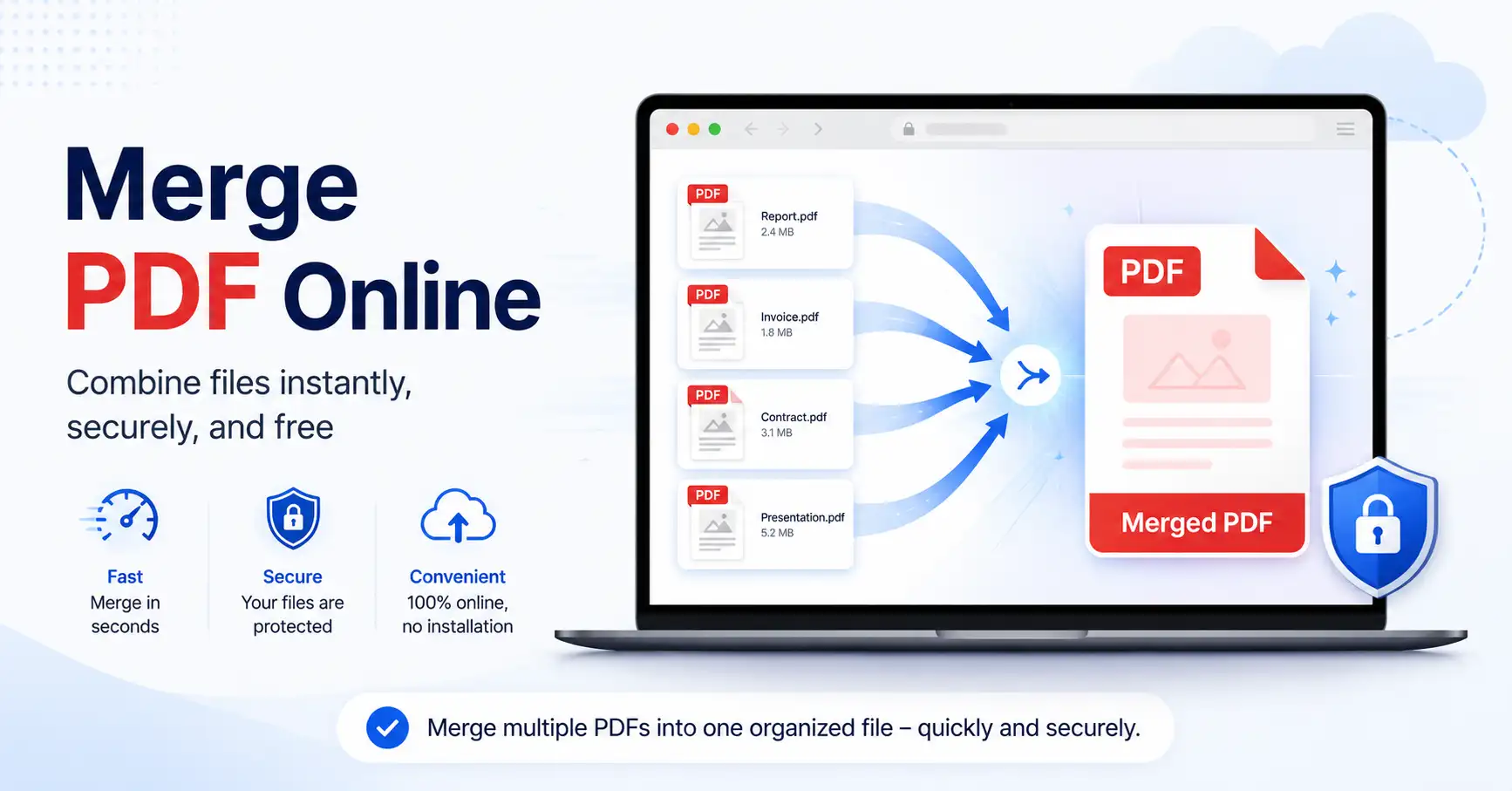
An online free PDF merger tool performs this task directly through your browser. You upload your files,
arrange their order, and download one combined PDF.
No complicated steps. No confusing
settings. Just upload, merge, and use.
Why Do People Need to Merge PDF
Files?
PDF merging solves a common
document problem: too many separate files.
Here are some everyday examples.
Students and Teachers
Students often collect research
papers, notes, certificates, and assignment pages in separate files. Combining
them creates one organized submission.
Teachers can also combine
worksheets, lesson plans, or study materials into a single document for their
classes.
Businesses and Offices
Companies deal with many documents
every day.
A business may need to combine the following:
- Contracts
- Financial reports
- Employee records
- Product documents
- Client information
A single PDF looks more
professional and reduces confusion.
Freelancers and Job Seekers
Freelancers may need to send
portfolios, proposals, and samples together. Job seekers often combine resumes,
certificates, and recommendation letters before applying for positions.
A clean document package creates a
better impression.
How to Merge PDF Online Free
Using a free online PDF merger is
usually simple. Most tools follow the same basic process.
Step 1: Upload Your PDF Files
Open a PDF merging website and
select the files you want to combine.
Most tools allow you to upload
multiple PDFs at the same time. Some also support drag-and-drop features.
Before uploading, check that your
files are the correct documents. Nobody wants to send a tax report when they
meant to send a vacation photo collection.
Step 2: Arrange the Page Order
After uploading, you can usually
move files into the correct order.
For example:
- Cover page
- Main document
- Supporting pages
- Final section
The order matters because the tool
combines files exactly as you arrange them.
Step 3: Combine the Files
Click the merge button, and the
tool processes your PDFs.
The system joins the pages into one
document while keeping the original structure.
Step 4: Download the New PDF
After processing, download your
combined file.
Always open the final PDF and
check:
- Page order
- Missing pages
- Formatting issues
- Image quality
A quick review can prevent mistakes
later.
Benefits of Using a Free Online
PDF Merger
A free online PDF merger
gives users an easy way to manage documents without buying software.
Let’s look at the main benefits.
Saves Time
Manually copying content from
different PDF files takes unnecessary effort.
A PDF merger completes the task in
a few clicks. This helps people finish document work faster.
For users who handle many files
every week, small time savings can add up quickly.
Keeps Documents Organized
Multiple files can become difficult
to manage.
A single combined PDF is easier to
- Find
- Store
- Share
- Print
- Upload
Instead of searching through
folders full of similar files, you have one complete document.
No Software Installation Needed
Many people do not want to install
extra programs just to complete one simple task.
A browser-based tool works directly
online. You can use it from most computers without downloading additional
software.
Works Across Different Devices
Most online PDF tools work on:
- Windows computers
- Mac devices
- Tablets
- Smartphones
This flexibility helps users
combine documents from different devices.
Helpful for Large Document
Projects
Businesses, researchers, and
students often handle large collections of PDFs.
A merge multiple PDF online free
solution can bring these files together into one organized document.
Online PDF Merger vs Desktop
Software
People often ask whether they
should use online tools or install PDF software.
Both options have benefits.
|
Feature |
Online PDF Merger |
Desktop PDF Software |
|
Installation |
Not required |
Required |
|
Access |
Works through browser |
Limited to installed devices |
|
Cost |
Many free options available |
Often requires payment |
|
Speed |
Quick for normal files |
Good for large projects |
|
Advanced editing |
Limited |
More features available |
For basic tasks like combining
documents, online tools are usually enough.
For professional editing, advanced
PDF software may offer more control.
Is It Safe to Merge PDFs Online?
Security is one of the biggest
questions people ask before uploading documents.
The answer depends on the tool you
choose.
A reliable PDF service should have
clear privacy policies and security practices.
Before uploading files, check:
- Does the website explain how files are handled?
- Does it delete uploaded files after processing?
- Does it use secure connections?
- Does it have a trusted reputation?
Avoid uploading sensitive documents
to unknown websites.
Documents containing private
information, such as financial records or personal identification files,
require extra care.
For highly confidential files,
offline software may be a better choice.
What Types of PDF Files Can You
Merge?
Most PDF merging tools support many
common document types.
You can usually combine the following:
- Business reports
- Ebooks
- School assignments
- Invoices
- Receipts
- Research papers
- Legal documents
- Presentation files
The main requirement is that your
files be already in PDF format.
If your documents are in Word,
Excel, or image formats, you may need to convert them into PDFs first.
Common Reasons People Merge PDF
Files
People merge PDFs for many
different reasons.
Creating Professional Reports
A complete report often contains
different sections created separately.
Combining them creates a single
professional file that is easier for readers.
Submitting Online Applications
Many websites require applicants to
upload one PDF file.
Instead of uploading multiple
attachments, users can combine everything into one document.
Examples include:
- Job applications
- School admissions
- Business proposals
- Government forms
Sharing Client Documents
Businesses often send multiple
files to customers.
A combined PDF creates a cleaner
experience and reduces the chance of missing attachments.
Creating Digital Portfolios
Designers, writers, photographers,
and freelancers can combine samples into one portfolio PDF.
This makes it easier for potential
clients to review their work.
How to Choose the Right PDF
Merger Tool
Not every online PDF tool offers
the same quality. Some are fast and simple, while others include extra features
that most users may never need.
Before choosing a free online
PDF merger, check a few basic things.
Check File Size Limits
Many free tools limit how large
your PDF files can be.
If you only combine small
documents, this may not be a problem. However, users working with reports,
ebooks, or scanned files should check the allowed file size before starting.
A good tool should clearly explain
its limits.
Look for Simple Controls
A useful PDF merger should make the
process easy.
You should be able to:
- Upload files quickly
- Change page order
- Remove unwanted files
- Create one final PDF
Too many confusing buttons can make
a simple task feel harder than it needs to be.
Check Output Quality
A PDF merger should keep your
document quality intact.
After combining files, check:
- Text clarity
- Image quality
- Page layout
- File size
A good result should look the same
as your original documents.
Check Privacy Features
Privacy matters when you upload
documents online.
A reliable tool should explain how
it handles uploaded files. Look for information about file storage, deletion,
and security.
Avoid using unknown websites for
private documents.
Common Mistakes People Make
While Merging PDFs
Merging PDF files is simple, but
small mistakes can create problems.
Here are some common issues users
face.
Uploading Files in the Wrong
Order
The final PDF follows the order of
uploaded files.
If you upload pages randomly, your
document may look confusing.
Before clicking merge, arrange
files in the correct sequence.
Forgetting to Check the Final
File
Many people download the merged PDF
and send it immediately.
A quick review helps you find
problems like the following:
- Missing pages
- Duplicate sections
- Incorrect order
- Blank pages
Taking one minute to check the file
can save a lot of trouble later.
Combining Unnecessary Pages
Large PDFs can become difficult to
manage.
Before merging, remove pages you do
not need. A shorter document is easier to read and share.
Uploading Sensitive Files
Without Checking Security
Personal and business documents may
contain private details.
Before using an online tool, check
its privacy information. For confidential files, consider using software that
works directly on your device.
How to Merge Multiple PDFs
Without Losing Quality
Many users worry that combining
files may reduce quality.
In most cases, a PDF merger joins
pages together without changing the original content.
To maintain quality:
- Use original PDF files when possible
- Avoid repeated conversions
- Check image-heavy documents after merging
- Keep a backup of your original files
Scanned PDFs may become large
because images take more storage space. In such cases, you may need a PDF
compression tool after merging.
Merge PDF Online Free on Mobile
Devices
Many people manage documents from
smartphones now.
A browser-based PDF tool can help
mobile users combine files without moving them to a computer.
The process is similar:
- Open the PDF merger website
- Select files from your phone
- Arrange the documents
- Merge the PDFs
- Save the final file
Mobile PDF merging is useful for:
- Students submitting assignments
- Employees sharing reports
- Freelancers sending client files
- Travelers managing documents
A simple phone-based solution can
save time when you are away from your computer.
PDF Merger Online Free vs Manual
PDF Combining
Some users try to combine PDFs
manually by copying content into another document format.
This approach creates extra work.
Manual methods can cause the following:
- Formatting problems
- Missing pages
- Lower image quality
- More editing time
An online free PDF merge tool
keeps the original PDF structure and combines files faster.
For regular document work, using a
merger is usually the easier option.
Benefits for Businesses Using
PDF Merge Tools
Businesses handle large amounts of
paperwork every day.
A PDF merger helps teams keep
documents organized and easier to manage.
Better Document Sharing
Sending one PDF file is cleaner
than sending many separate attachments.
Clients and team members can open
one document instead of searching through multiple files.
Faster Record Management
Companies can combine related
documents into one file.
For example:
- Invoice pages
- Payment records
- Project documents
- Client agreements
This makes future searches easier.
Improved Professional
Presentation
A complete PDF package looks more
organized.
Whether you are sending a proposal
or a report, one well-arranged file creates a better experience for the reader.
Are Free PDF Merger Tools Good
Enough?
For many users, free tools are
enough.
If your goal is simply to combine
PDF files, a free service can complete the task quickly.
Free tools work well for:
- Personal documents
- School files
- Small business paperwork
- Basic reports
However, users who work with
advanced PDF tasks may need extra features.
Examples include:
- Editing text inside PDFs
- Adding digital signatures
- Creating forms
- Protecting files with passwords
The right choice depends on what
you need.
Frequently Asked Questions About
Merging PDF Files
Can I merge PDF files for free
online?
Yes, many online tools allow users
to combine PDF documents without payment. These tools usually work through a
browser and do not require software installation.
Is there a limit to how many
PDFs I can merge?
The limit depends on the tool you
choose. Some services allow many files, while others restrict file numbers or
size.
Will merging PDFs reduce
quality?
Usually, merging only combines
pages and does not reduce quality. However, scanned documents may remain large
because they contain images.
Can I merge PDFs on my phone?
Yes, many online PDF merger tools
work on smartphones and tablets through a web browser.
Is it safe to upload PDFs
online?
It depends on the service. Always
check privacy details before uploading personal or confidential documents.
Final Thoughts: Make Your PDF
Files Easier to Manage
PDF files are useful because they
keep documents in a fixed format. But handling many separate files can become
frustrating.
A simple PDF merger solves this
problem by bringing everything together into one organized document.
Whether you are a student, business
owner, employee, or freelancer, combining PDFs can make your work cleaner and
faster.
A free online PDF merge tool
is a practical option for everyday tasks. Just choose a trusted service, check
your final document, and keep your files organized.
Small tools can remove small
problems, and managing documents becomes much easier when everything stays in
one place.